
Turn building energy data into informed action.
Energy management connects measurement, operational information and building-control strategies to help teams understand where energy is used and where performance can be improved.
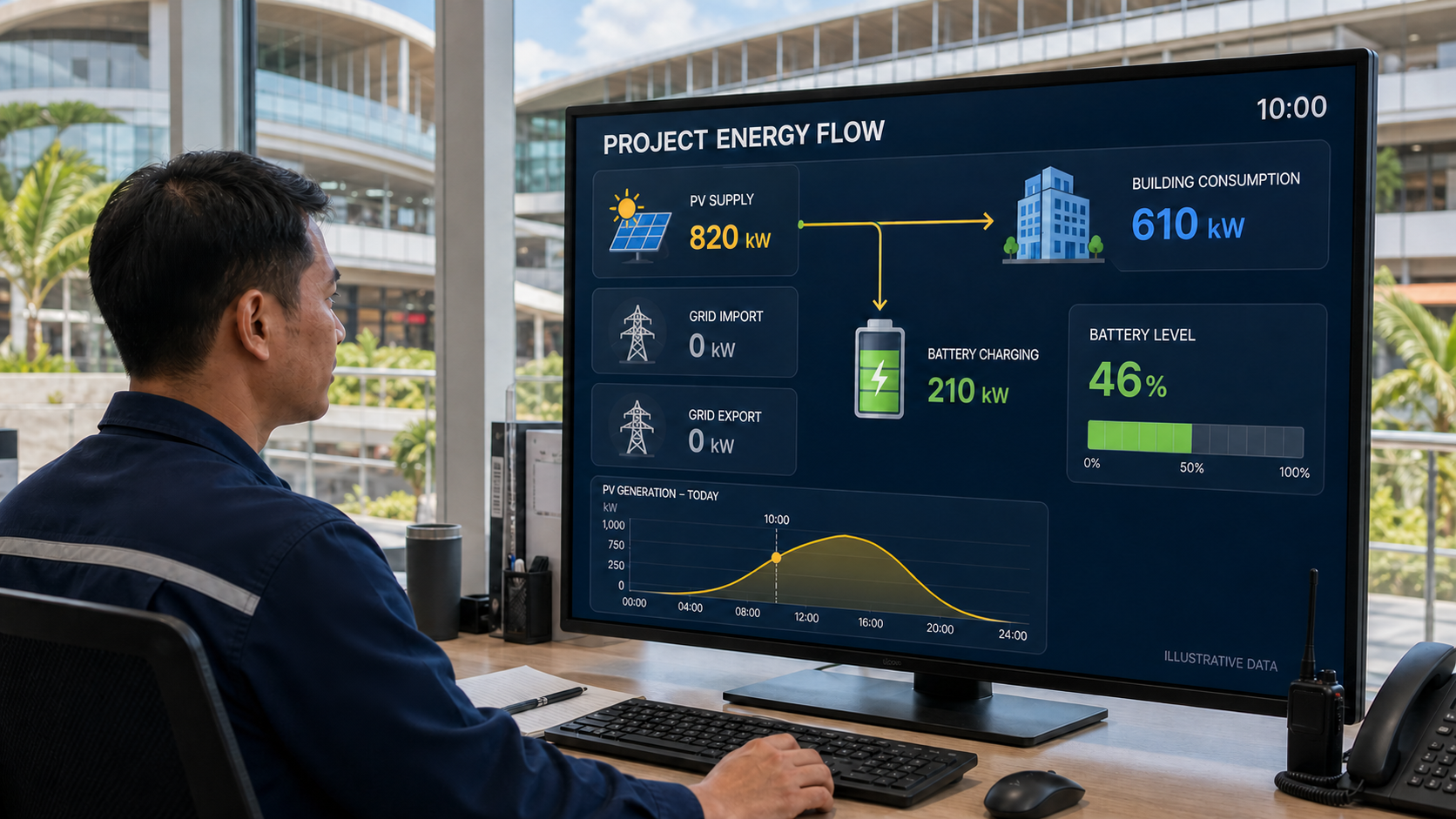
Energy data becomes valuable when it supports decisions.
A meter reading alone does not explain why energy was used or what should change. Useful energy management combines reliable measurements with time, occupancy, operating schedules, system status and other relevant building information.
Measurement reveals performance. Engineering turns that understanding into action.
Six coordinated energy-management functions.
Energy measurement
Collect relevant electricity and energy-consumption data from suitable metering points.
Submetering
Separate significant loads, areas or building functions to provide more useful performance visibility.
Consumption trends
Present energy use over time so operating patterns and unusual changes can be recognised.
Demand visibility
Monitor relevant demand information to support operational awareness and peak-management strategies.
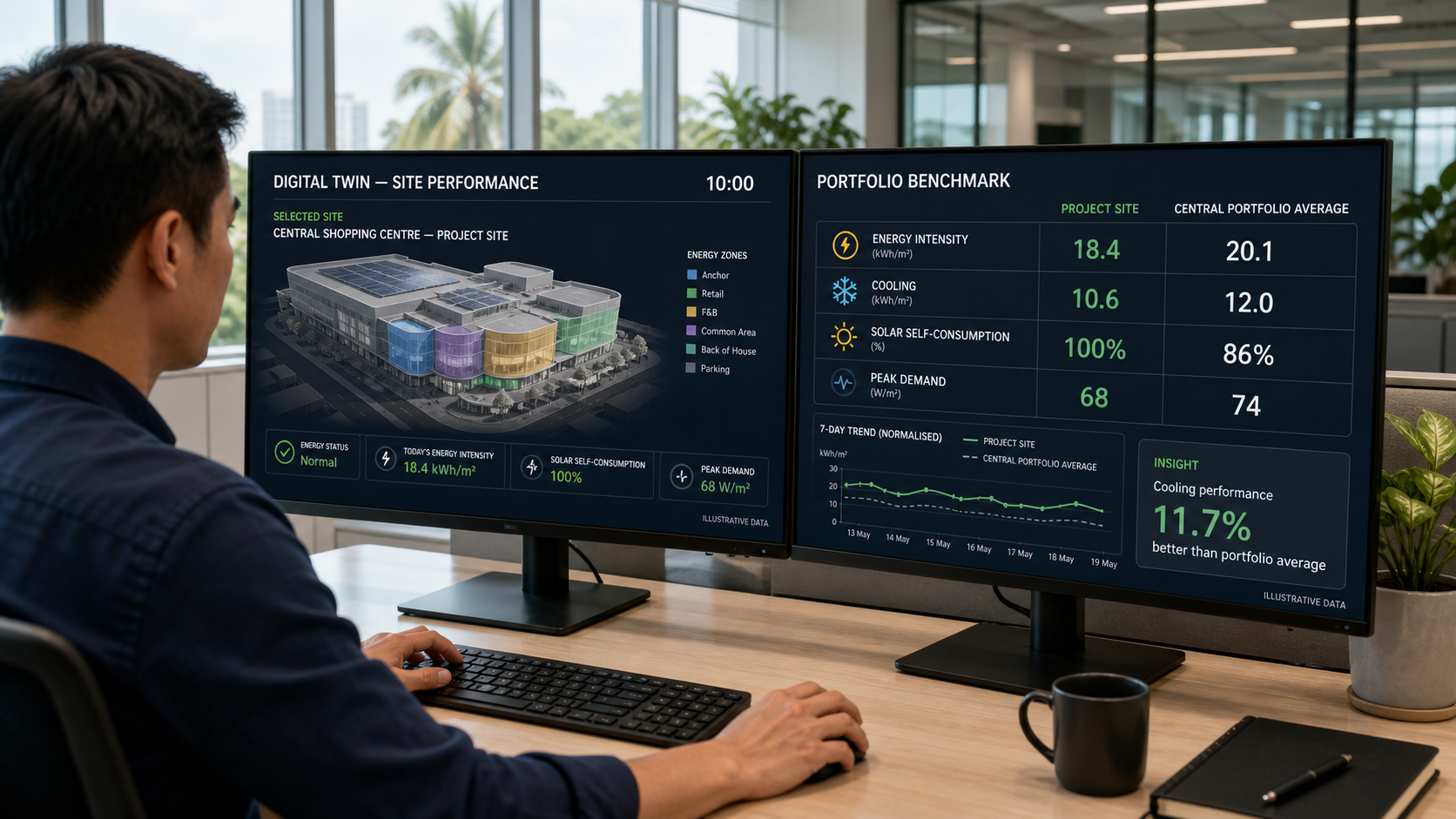
Performance comparison and Digital Twin analysis
Compare appropriate periods, areas or operating conditions using clearly defined references, with Digital Twin models supporting deeper analysis where the project scope and available data permit.
Reporting and alerts
Provide authorised teams with useful reports and notifications when defined energy conditions require attention.
Improvement is a continuous engineering process.
Measure
Collect reliable information from appropriately selected metering points.
Understand
Relate energy use to time, occupancy, weather, schedules and building operation where relevant.
Improve
Adjust operating strategies, schedules, setpoints or control logic based on informed analysis.
Verify
Review the results and confirm whether the intended performance improvement was achieved.
Energy figures should be interpreted in relation to building operation.
Consumption can change because of occupancy, operating hours, weather, equipment condition, tenant activity or changes in building use. Comparisons should use relevant context rather than presenting isolated figures as conclusions.
Energy information can help refine building operation.
Energy information becomes more useful when it can be considered alongside lighting status, climate-control modes, occupancy, schedules and building alarms. This helps teams investigate performance and identify where control strategies may require adjustment.
Not every energy issue should trigger an automatic response.
Some conditions can be managed through automatic control, while others require investigation, operational decisions or maintenance. The project should define which responses may occur automatically, which require authorisation and which should remain advisory.
Energy priorities vary by building environment.
Hospitality
Understand guest-room, public-area, operational and significant equipment loads in relation to hotel activity.
Residential
Provide useful energy visibility for homes, common areas and selected significant loads without unnecessary complexity.
Commercial
Relate energy use to occupancy, operating hours, tenant areas and building services.
Useful energy management begins with a clear measurement strategy.
- Energy objectives and intended decisions
- Metering boundaries and significant loads
- Meter accuracy, communication and data intervals
- Data validation and missing-information handling
- Baselines, comparisons and relevant normalisation
- Reporting, access and information-retention requirements
- Responsibilities for review and corrective action
The measurement and reporting strategy should be agreed with the building owner, electrical designer, controls engineer, system integrator and operational team.
Supporting Sustainable Building Targets
See how automation, measurement and performance data can support project objectives under recognised green-building and wellbeing frameworks.
Planning an energy-management strategy for your building?
Share the building type, significant energy loads, available measurements and performance objectives with GreenControls.